Notes that stay
on your device.
localnotes is a Markdown note-taking app that runs entirely in your browser. No accounts. No servers. No tracking. Everything encrypted with AES-256-GCM.
AES-256 encrypted
Every note is encrypted in your browser. Your master password never leaves your device.
Offline-first PWA
Install once, use forever — no internet required after installation.
Markdown + Math
Write in Markdown with KaTeX math rendering for equations and formulas.
Export anywhere
Export notes as PDF or JSON. Download encrypted backups anytime.
Tags + full-text search
Organize with tags and search across all decrypted note content.
No account needed
No sign-up, no email, no tracking. Open the app and start writing.
How it works
Visit localnotes and set a master password. This is the only key to your notes — there is no recovery, so keep it safe.
Add to your home screen or install via Chrome on desktop. Works fully offline after install.
Create notes in Markdown with math, code, checkboxes, and tags.
Download an encrypted backup anytime. Restore it on any device with your password.
Install guide
iOS (Safari)
- 1.Open the app in Safari
- 2.Tap the Share button (□↑)
- 3.Tap "Add to Home Screen"
- 4.Tap "Add"
Android (Chrome)
- 1.Open the app in Chrome
- 2.Tap the menu (⋮)
- 3.Tap "Add to Home Screen"
- 4.Tap "Add"
Desktop (Chrome / Edge)
- 1.Open the app
- 2.Click the install icon in the address bar
- 3.Click "Install"
- 4.Opens as a standalone window
Screenshots
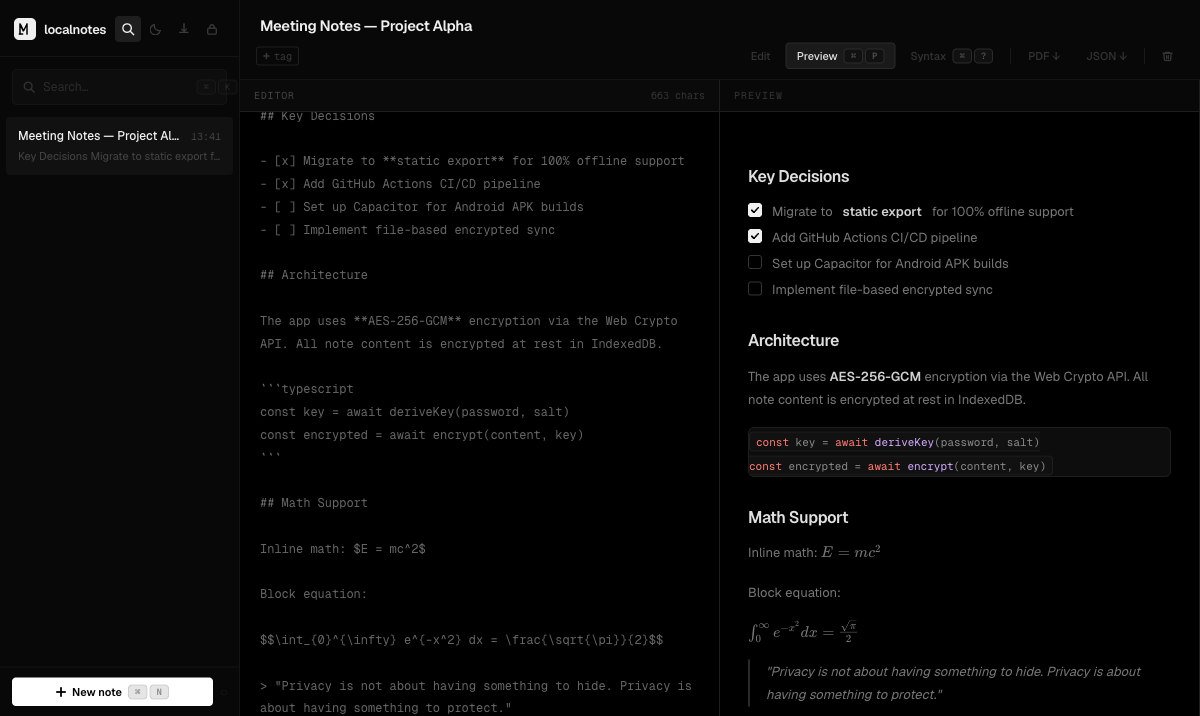
Editor view
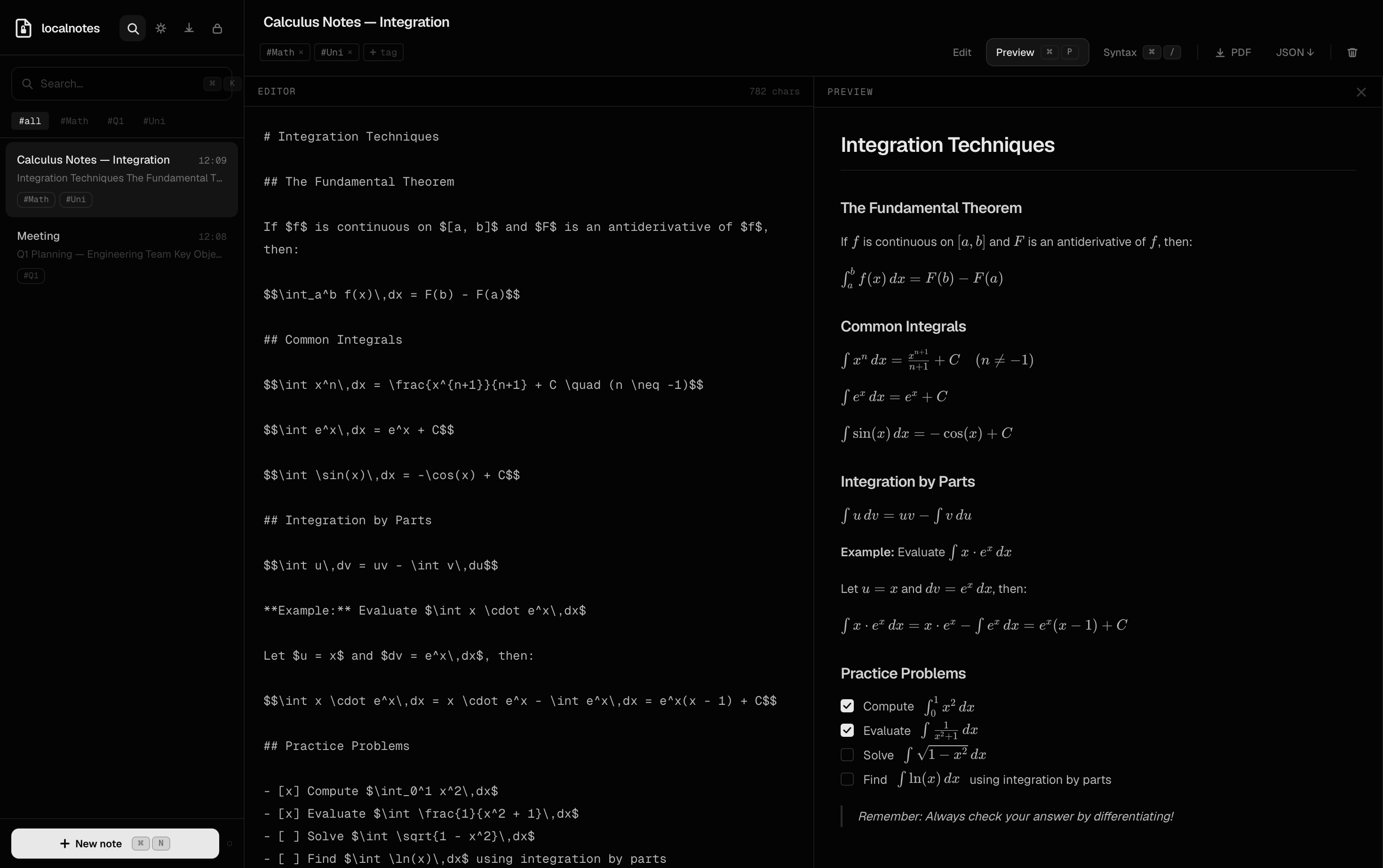
Preview & KaTeX